eyeron
 Eyeron guide
Give Eyeron a few facts and rules, ask a question, and follow the answer back to its evidence. This guide takes you from a first conclusion to saved proofs, browser experiments, and your own Rust application.
Eyeron is a Notation3 (N3) reasoner. It runs as a command-line program, a Rust library, and a browser application. RDF formats can supply data to its N3 rules. The specification defines the language, its evaluation, and what proof verification establishes.
Start now: Try Socrates in the playground · Run locally · Check a proof
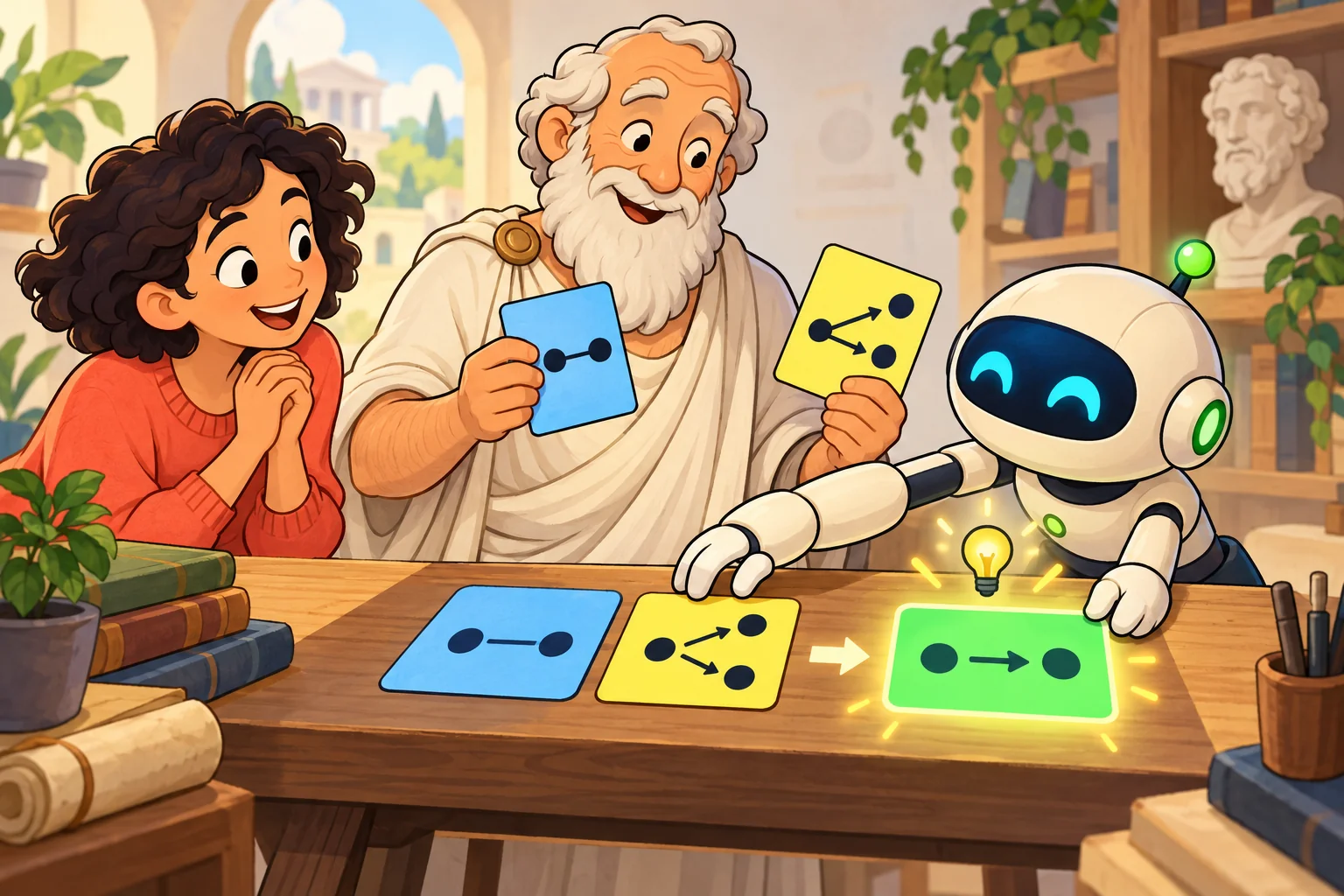
The workshop begins with facts and rules. A conclusion needs a route from those inputs.
Choose your starting point
| You want to… | Start here |
|---|---|
| Try an example without installing anything | Open the browser playground |
| Run your first local program | Build and run |
| Understand the N3 on the screen | Your first N3 program |
| Print just the answer you want | Pick your answer with a query |
| Save and verify an explanation | Proofs and their limits |
| Combine rules with your own data | Inputs and output |
| Put reasoning inside an application | Rust library |
| Work out why a run surprised you | Troubleshooting |
Build and run
With Rust and Cargo available, run these commands from the repository root:
cargo build --release
./target/release/eyeron examples/socrates.n3
Your first conclusion is:
@prefix : <http://example.org/socrates#> .

:Socrates a :Mortal .
Open socrates.n3 beside its expected answer. The input says Socrates is human and humans are a subclass of mortals. A rule carries class membership to a superclass. That rule supplies the connection used to derive the answer.
Now ask for the explanation to be checked:
./target/release/eyeron -c examples/socrates.n3
Look for checked: 3 steps, 3 verified, 0 trusted. You have run a program and checked a proof of its output.
The commands below use eyeron. Substitute ./target/release/eyeron if the executable is not on your PATH. To install the command from this checkout, use cargo install --path . --locked --bin eyeron.
Your first N3 program
Save this as /tmp/people.n3, or paste it into the playground:
@prefix : <http://example.org/people#> .
@prefix log: <http://www.w3.org/2000/10/swap/log#> .

# Facts
:Socrates a :Human .
:Hypatia a :Human .

# Every human in this model is mortal.
{
    ?Person a :Human .
} => {
    ?Person a :Mortal .
} .
Run it:
eyeron /tmp/people.n3
Both Socrates and Hypatia are derived to be mortal. Read the program one piece at a time:
| Piece | How to read it |
|---|---|
@prefix : <http://example.org/people#> . |
Give names such as :Socrates a shared IRI prefix. |
:Socrates a :Human . |
A fact: Socrates has type Human. a abbreviates rdf:type. |
?Person |
A variable that can match a term. The same variable keeps one value throughout a rule application. |
{ … } => { … } . |
When the left side matches, derive the statements on the right. |
| ` .` | End a statement. |
Ordinary output contains the derived statements. Input facts remain available to reasoning even when they are not printed.
Try a small change
Add :Plato a :Human . to the file and run it again. Then try :Fido a :Dog .. Predict which new conclusions each change will produce.
Show the expected results
Plato becomes a third mortal. The dog fact produces no additional mortal: this program has no rule connecting Dog to Mortal.
The names are precise. :Human and :human are different IRIs. Eyeron follows the facts and rules you supply; this example does not load an ontology containing further knowledge about people or dogs.
Let a built-in do a calculation
Built-ins provide relations for arithmetic, lists, strings, dates, and other operations. This complete program derives a sum:
@prefix : <http://example.org/calculation#> .
@prefix math: <http://www.w3.org/2000/10/swap/math#> .

{
    (2 3) math:sum ?Total .
} => {
    :answer :value ?Total .
} .
(2 3) is a list. math:sum binds ?Total to 5, so the conclusion is :answer :value 5 .. A built-in needs arguments in a direction it supports; an unbound input does not generally ask it to enumerate every possible value. The built-in reference lists the available relations.
Follow a forward rule or ask a backward rule
=> adds conclusions when its premises match. A backward rule, written with <=, supplies a way to answer a goal when it is asked for:
@prefix : <http://example.org/backward#> .
@prefix log: <http://www.w3.org/2000/10/swap/log#> .

:Socrates a :Human .

{
    ?Person a :Mortal .
} <= {
    ?Person a :Human .
} .

{
    ?Person a :Mortal .
} log:query {
    ?Person a :Mortal .
} .
The query asks the goal, the backward rule finds its supporting human fact, and Socrates is returned as mortal. This is useful for relations you want to evaluate on demand. See backward.n3 for a larger example.
Pick your answer with a query

The spotlight chooses what reaches the output. The other facts stay on the shelf.
Append this query to /tmp/people.n3:
# Ask specifically about Socrates.
{
    :Socrates a :Mortal .
} log:query {
    :Socrates a :Mortal .
} .
Run the file again. Only Socrates’s answer is printed. Hypatia’s mortality is still derivable from the same program.
A query has a matching side and an output side. Variables can select several answers, and the output side can give them the shape you want. Queries run after ordinary inference; their answers are output and do not feed further inference.
| Part of a run | What it contains |
|---|---|
| Input facts | Assertions supplied by the source documents. |
| Materialized closure | Input facts and statements materialized during reasoning. Backward answers and universal instances can also be obtained on demand. |
| Printed output | Derived results, or the answers selected by log:query when queries are present. |
If selected results contain log:outputString, the printer emits those strings instead of N3 triples. Some examples use this to produce Markdown. The evaluation reference explains output and closure in more detail.
Explore the examples
Choose a small experiment, open its source, compare its answer with the expected one, and run it with -c to see its checking report.
| Experiment | What to look for |
|---|---|
| Socrates | A short chain from facts to a conclusion. |
| Control system | Arithmetic and backward helpers producing two actuator commands. |
| Dog license | Scoped collection, counting, and explicit checking obligations. |
| Explicit existential rule | A fresh unnamed witness rather than an invented named individual. |
| Examiners | An existential that a known examiner already satisfies, so none is invented. |
| Graph terms | Quoted statements used as values. |
| Zebra puzzle | A larger constraint problem. |
| Decision and audit | A decision with a saved proof that another N3 program can inspect. |
For example, eyeron examples/control-system.n3 returns the two command values 26.08 and 39.27346198678276, attached to their actuators. Its proof explains the calculations that support those answers.
The deep-taxonomy-* and kaprekar-6174 examples are larger workloads. Redirect proof output to a file when exploring them; their proofs are much larger than their answers.
Proofs and their limits

Keep the answer, the route to it, and the checking report together. A visible assumption still needs your attention.
Save the answer, proof, and check separately
These commands create three useful artifacts:
eyeron examples/socrates.n3 > /tmp/socrates.answer.n3
eyeron -p examples/socrates.n3 > /tmp/socrates.proof.n3
eyeron --check-proof /tmp/socrates.proof.n3 examples/socrates.n3 \
  > /tmp/socrates.check.txt
| Artifact | Question it answers |
|---|---|
| Answer | What did the run output? |
| N3 proof | Which statements and applications support that output? |
| Check report | Which conditions were checked, and which assumptions remain? |
Compare Socrates’s expected answer with the proof and report you just wrote. The packaged examples keep only their answers; their proofs are generated and checked by the test suite. Query examples return their answers directly; the supporting explanation and verification come from -p and --check-proof.
For a quick check without saving a proof first, use eyeron -c examples/socrates.n3. It generates a proof in memory and prints its checking report.
Read the verdict
| Verdict | What it establishes |
|---|---|
checked |
The recorded proof passes all implemented conditions, with no trust obligations. |
checked with obligations |
The conditions pass, with explicitly listed justifications accepted as assumptions. |
invalid |
At least one condition fails. The report identifies the condition, conclusion, and detail. |
The checker assumes source assertions. A valid proof establishes support for its recorded claims; it does not establish the real-world truth of the inputs or prove that every possible conclusion was found.
Try eyeron -c examples/dog-license.n3. Its report says checked with obligations: 10 steps, 8 verified, 2 trusted. The two obligations concern collection over the current graph. The proof’s evidence can expose a contradiction in such an assumption, but cannot demonstrate that every possible collection member was found.
Meet C1–C9
The checker replays recorded applications and checks their connections:
| Condition | What the checker asks |
|---|---|
| C1 · Resolution | Does each rule or source-fact justification hold? |
| C2 · Well-foundedness | Are the supporting steps free of dependency cycles? |
| C3 · Justification | Is each step’s justification well formed and supported? |
| C4 · Coverage | Can every premise, carried rule, and claim be resolved? |
| C5 · Re-decision | Do recorded built-ins hold on their arguments, or have explicit obligations? |
| C6 · Boundary consistency | Does the proof’s own evidence contradict an assumption or trip a source inference fuse? |
| C7 · Relevance | Does every step support a claim, and does each claim answer a query when queries are present? |
| C8 · Witness integrity | Are existential witnesses fresh and consistent across the applications that introduce them? |
| C9 · Query isolation | Are query answers kept out of inference evidence and supported by complete query applications? |
The proof-checking contract gives the exact requirements, report format, trust categories, and matching budgets. Conditions can fail when checking cannot finish within its budget; the diagnostic distinguishes that limit from a demonstrated contradiction.
Reproduce a saved check
Use the original source inputs in the same order, with the same base IRI settings. Rule numbering and resolved names belong to that supplied program. Proof file labels describe sources; they do not authenticate their authors.
-c and --check-proof share the same source loader. Each input is parsed with its format and base IRI, then merged with separate file scopes. A proof can come from stdin when the sources are files:
eyeron --check-proof - examples/socrates.n3 < /tmp/socrates.proof.n3
Sources can instead come from stdin when the proof is a file. Supplying both through stdin is rejected. Proof capture retains derivation data and costs additional memory.
Example: audit a decision
verifiable-decision.n3 combines DPV descriptions of consent and safeguards with ethics assertions to derive an ODRL Agreement from an ODRL Request. The slide deck walks through the decision and its audit.
eyeron -p examples/verifiable-decision.n3 > /tmp/decision.proof.n3
eyeron --check-proof /tmp/decision.proof.n3 examples/verifiable-decision.n3
Look for checked: 30 steps, 30 verified, 0 trusted. Proofs are themselves N3 data: another program can follow pe:uses and examine the assertions supporting a decision.
eyeron examples/verifiable-decision-audit.n3 /tmp/decision.proof.n3
This audit identifies supporting authorities. The bundled audit input is a saved copy of the decision proof. Removing a record’s use-permission link from its quoted ODRL evidence policy triggers an inference fuse.
Inputs and output
Bring your data
| Input | How it is selected |
|---|---|
| Notation3 | .n3, or the default parser for stdin and unrecognized extensions |
| Turtle / TriG | .ttl / .trig |
| N-Triples / N-Quads | .nt / .nq |
| RDF Message Log | A VERSION or @version directive naming a *-messages version, or a line holding only MESSAGE or @message . |
Local files and HTTP(S) URLs are accepted. The formats supply data to N3 reasoning; choosing an RDF input format does not turn Eyeron into a general OWL reasoner.
eyeron rules.n3 data.ttl
eyeron --rdf - < data.ttl
eyeron --base-iri https://example.org/ - < rules.n3
Use - for stdin, or supply options without files to read stdin. No arguments prints help. Ordinary stdin uses N3; --rdf selects Turtle for stdin and rejects unknown file extensions. Relative IRIs use each file’s location or URL unless --base-iri overrides it.
Examples with a companion input need both files on the CLI:
eyeron examples/annotation.n3 examples/input/annotation.trig
The playground loads a bundled example’s companion automatically.
Keep document scopes straight

Two folders can contribute to the same problem while keeping their local unnamed things distinct.
Files are parsed separately and merged. Reusing the blank-node label _:contact in two different input files does not identify their contacts as one individual. Quantifier scopes stay separate too. To refer to the same named thing across files, use the same resolved IRI.
Quoted graphs also have meaning as values. A triple inside { … } does not automatically become an ordinary fact outside that graph. Inside quoted graph values, literal lexical identity matters: "01"^^xsd:integer and 1 are different. See quantification and graph terms before building rules that manipulate quoted statements.
Process an RDF Message Log
Normal replay parses a whole log into eymsg: envelopes and quoted payloads that rules can inspect. Start with rdf-messages.n3 and its companion input.
For independent processing of each payload, run the small local fixture:
eyeron --rdf --stream-messages \
  examples/alma-rdf-messages.n3 \
  tests/input/alma-rdf-messages-small.nt
This path incrementally reads local files or HTTP(S), reasons over each payload, and flushes its RDF output. Derived facts are not retained between payloads. It requires --rdf and rejects stdin message logs, proof/checking modes, --ast, and --stream. Browser URL inputs are fetched into memory before processing. The RDF Messages reference explains the two modes.
Stop on a forbidden combination
An inference fuse has the form { … } => false .. When its premise matches, reasoning stops and the CLI reports the rule and matched instance.
eyeron examples/fuse.n3
This example describes one stone as both black and white and forbids that combination. The exit status is 65. A fuse is useful for constraints your program explicitly states; its behavior is defined in the language reference.
Inference also stops with status 65 when later facts contradict a current-graph absence, collection, or universal test used to derive a conclusion. The report names the invalidated assumption; no conclusions are printed. This check runs in ordinary mode as well as with -p and -c.
Browser
Open the playground with Socrates loaded. Everything runs through WebAssembly in your browser.
- Read or edit the N3 input.
- Leave Output at Conclusions (default) and press Run.
- Choose -p, –proof · N3 proof and run again to see the explanation.
- Choose -c, –prove-and-check · Generate and check a proof to see the checking report.
- Use Share link to copy the current experiment.
On wide screens, Options sits beside the heading and controls, with equal input and output columns below. On a phone, the panels stack and Options follows the inputs. The toolbar with Run, Stop, Share link, and Create Gist share stays visible while scrolling. A completed mobile run scrolls to the output. Stop cancels a fetch or terminates the reasoning worker.
Load another experiment
Choose a bundled example or load a URL. Either replaces the current inputs. Companion data appears in an additional editor; inputs are parsed separately and merged. Loaded URLs retain their format and base IRI, and --base-iri overrides that base. Browser URL loading requires the server to allow cross-origin requests.
To check a saved proof, choose –check-proof FILE · Check a saved proof and paste the proof into the Proof to check editor, or load its URL. Keep the matching program and data in the input editors.
Share an experiment
| Control | What is shared |
|---|---|
| Share link | An unchanged bundled example with default options and no saved proof uses a short fragment such as #example=socrates. Edited experiments use a snapshot of input texts, names, base IRIs, CLI options, and the saved proof. |
| Create Gist share | Uploads the snapshot to an unlisted GitHub Gist and copies a shorter ?stateurl=… link. Anyone with the Gist URL can read it. |
Snapshot links store state in the URL fragment, compressed when browser gzip support is available. They are not uploaded. Restoring the original example inputs, default options, and an empty saved-proof field restores its short link. Opening shared state loads it ahead of local autosave and does not run the program automatically.
Gist sharing asks for a GitHub token with Gist permission. The token stays in session storage and is excluded from shared links and local autosaves. If clipboard access is blocked, the link is displayed for manual copying.
Build the playground locally or call its JavaScript API
Install wasm-pack and the Rust wasm32-unknown-unknown target, then run:
cargo playground
python3 -m http.server
Open http://localhost:8000/playground.html. The build updates the committed pkg/ artifacts.
The runCliReport(request, onOutput) JS export accepts JSON containing args, sources (name, text, and optional baseIri), and an optional proof (name and text). It sends stdout chunks to the callback and returns JSON with ok, exitCode, and stderr. It uses the same option parser, source parsing, execution, and proof-check report as the native CLI.
The reason, reasonWithOptions, reasonWithData, reasonWithDataReport, and EyeronSession exports also remain available. See wasm.rs for their signatures.
CLI options
| Option | Behavior |
|---|---|
-a, --ast |
Print the parsed document and exit |
-p, --proof |
Write an N3 proof document |
-c, --prove-and-check |
Generate a proof in memory and print its checking report |
--check-proof FILE |
Check a saved proof against the positional source inputs; - reads the proof from stdin |
-r, --rdf |
Select RDF-compatible output and Turtle parsing for stdin; file extensions still select their own parser |
--base-iri IRI, --base IRI |
Override the parser’s base IRI |
--max-backward-depth N |
Set backward search depth; default 32 |
--stream-messages |
Process RDF Message Log payloads independently; requires --rdf |
-s, --stream |
Compatibility flag; ordinary output still waits for reasoning to finish |
-h, --help; -v, --version |
Print help or the version |
Successful reasoning and valid proofs return status 0, including proofs with listed trust obligations. Parse, reasoning-limit, and invalid-proof errors return 1. A fired inference fuse returns 65. In the library, inspect completion status and result.fuse separately.
Option combinations and compatibility flags
--prove-and-check rejects --ast, --proof, --check-proof, and --stream-messages in the same invocation. --check-proof rejects --ast, --proof, and --stream-messages.
--proof-comments aliases --proof. --builtin, --store, --store-path, --store-clear, and --enforce-https are accepted with warnings and have no implementation.
Troubleshooting
| What you see | What to try |
|---|---|
| No output, with a successful exit | Check whether any new statements were derived or a query selected an answer. Use -a to inspect the parsed program. |
| A rule does not fire | Check resolved IRIs, capitalization, variable use, and the arguments each built-in requires. Invalid built-in arguments usually produce no match. |
| An expected blank node is missing | A known fact may already satisfy the existential conclusion, so nothing new is introduced; see existential conclusions. |
| Input facts are missing from the output | Add a query selecting the facts you want to print. Ordinary output is derived results. |
| Markdown or prose appears instead of N3 | Inspect log:outputString results. A query can select ordinary answer triples for printing. |
| A saved proof does not check | Use the original input files, order, and base IRI. Read the first named condition and its affected conclusion. |
| A report lists obligations | Read the accepted assumptions. A successful exit includes checked with obligations. |
| The program exits with 65 | Inspect the fired inference fuse and its matched instance. |
| A URL loads in the CLI but fails in the browser | Check the remote server’s cross-origin access settings, or paste the input into an editor. |
Double-clicking playground.html does not work |
Serve the checkout over HTTP using the local playground instructions. |
| A run reports a search limit | Inspect which budget was reached and the rule structure. The CLI exposes backward depth; the library exposes the other reasoning budgets. |
Reaching a budget is reported as incomplete reasoning. The defaults limit operations and terms; they are not a whole-process memory or wall-clock limit. See resource limits for defaults and scope.
Rust library
Start with a string
fn main() -> eyeron::Result<()> {
    let output = eyeron::reason(r#"
        @prefix : <http://example.org/> .
        :Socrates a :Human .
        { ?Person a :Human } => { ?Person a :Mortal } .
    "#)?;
    assert!(output.contains(":Socrates a :Mortal"));
    println!("{output}");
    Ok(())
}
The convenience reason(&str) parses N3 or an RDF Message Log and returns serialized derived output. It returns an error for incomplete reasoning or a fired inference fuse. Use the structured API when your application needs to inspect fuses, completion, or proof details.
Capture and check a proof
fn main() -> eyeron::Result<()> {
    let program = eyeron::parse_n3(r#"
        @prefix : <http://example.org/> .
        :Socrates a :Human .
        { ?Person a :Human } => { ?Person a :Mortal } .
    "#, None)?;
    let options = eyeron::ReasonerOptions { proof: true, ..Default::default() };
    let result = eyeron::reason_document(&program, &options);
    if let Some(fuse) = &result.fuse {
        return Err(eyeron::EyeronError::new(eyeron::fuse_report(&program.prefixes, fuse)));
    }
    if let Some(summary) = result.incomplete_summary() {
        return Err(eyeron::EyeronError::new(summary));
    }
    let proof = eyeron::proof_to_n3(&program.prefixes, &result);
    let report = eyeron::proof_check_n3::check_proof_document(&program, &proof)?;
    if !report.valid() {
        return Err(eyeron::EyeronError::new(report.verdict()));
    }
    println!("{}", report.verdict());
    Ok(())
}
ReasonerResult exposes status, limits_reached, errors, statistics, derived, closure, proofs, and fuse. Inspect these before treating an output as complete. A valid checking report may still list obligations in report.obligations; failures appear in report.failures.
For parsed data, use parse_n3, parse_n3_with_source, parse_rdf12, or parse_rdf_message_log, then reason_document. To combine separately parsed documents, use Document::merge so their blank-node and quantifier scopes stay separate. The check_proof_document API accepts that prepared source Document.
include_explicit controls retained copies of input facts and their source labels. It defaults to true and is forced on for proof capture. The source exports and cargo doc --no-deps describe the APIs.
Reuse a program across independent data batches
PreparedReasoner prepares rule classification and the forward agenda once:
fn main() -> eyeron::Result<()> {
    let program = eyeron::parse_n3(r#"
        @prefix : <http://example.org/> .
        { ?Person a :Human } => { ?Person a :Mortal } .
    "#, None)?;
    let prepared = eyeron::PreparedReasoner::new(program);
    for name in ["Socrates", "Hypatia"] {
        let data = eyeron::parse_n3(&format!(
            "@prefix : <http://example.org/> . :{name} a :Human ."
        ), None)?;
        let result = prepared.reason(&data, &eyeron::ReasonerOptions::default());
        assert!(result.is_complete() && result.fuse.is_none());
        println!("{}", eyeron::result_to_string(&prepared.program().prefixes, &result.derived));
    }
    Ok(())
}
Each call evaluates an independent batch. Facts derived in the Socrates call are not retained for the Hypatia call.
A small vocabulary to keep nearby
| Term | Meaning here |
|---|---|
| Triple | A subject, predicate, and object forming one statement. |
| IRI | A name such as http://example.org/people#Socrates; prefixes shorten its spelling. |
| Blank node | An unnamed individual whose identity belongs to its scope. |
| Quoted graph | A graph used as a value, with its own local binders. |
| Closure | The statements materialized during reasoning, including input facts. |
| Witness | The blank individual introduced for an existential conclusion, only when no known individual already fits. |
| Obligation | A justification accepted as an explicit assumption by the proof checker. |
Development and testing
cargo test --release
./scripts/test-all
cargo test --release --test examples
cargo test --release --test proof_checking
node --experimental-vm-modules --test tests/playground_loading.mjs tests/playground_sharing.mjs
cargo doc --no-deps
scripts/test-all runs every Rust suite using the optimized test-fast profile. It skips link-time optimization, enables incremental builds, and checks two example proofs concurrently. It finishes with the number of individual tests, percentage OK, and total elapsed time. It counts conformance cases in place of their suite checks, without double-counting W3C manifest and aggregate reports. Failures retain Cargo’s exit status, and every suite runs even after another fails.
Use EYERON_TEST_JOBS to change the number of proof workers. For production-profile performance measurements with sequential examples, run EYERON_TEST_JOBS=1 ./scripts/test-all --release. Other Cargo arguments, including --locked, --test, and --profile, are forwarded. Direct cargo test --release runs remain sequential across example proofs. Production and Wasm release builds keep their full link-time optimization.
The example harness compares N3 output as a graph and Markdown output by stable report lines. The proof-checking harness generates the proof of every example that derives anything and requires it to be nonempty and check under C1–C9. An intentional negative cycle trips an inference fuse and has no conclusions to prove. No proof or report is stored, so there is nothing to keep in step with the engine.
After an intentional output change, regenerate and review the output goldens:
EYERON_UPDATE_GOLDENS=1 cargo test --release --test examples
Ordinary runs only read goldens. A new example needs an output golden; add its name and any companion input to the playground’s bundled lists. See AGENTS.md for the complete working conventions.
The vendored N3 suite has two adjusted expectations for Eyeron’s graph-term scoping; see scope differences. The W3C runner notes explain its local manifest mirror and EARL report. CI covers native release tests, Clippy, and rustdoc; Wasm Clippy and a release build; and cargo-deny dependency checks.
| Code | Responsibility |
|---|---|
src/ast.rs |
Terms, scoped graphs, triples, rules, documents |
src/lexer.rs, src/parser.rs, src/rdf_compat.rs |
Input syntax and parser profiles |
src/reasoner.rs |
Evaluation, built-ins, prepared programs, budgets |
src/printing.rs |
N3/TriG serialization, RDF JSON, fuse reports |
src/proof_writer.rs |
N3 proof generation |
src/proof_check.rs, src/proof_check_n3.rs |
Generic checker and N3 reader |
src/cli.rs, src/main.rs, src/wasm.rs |
Shared CLI behavior, native I/O, browser bindings |
For maintainers, ./release patch "message" (or minor/major) pulls main, bumps the version, rebuilds the playground, commits all working-tree changes, and pushes main and an annotated tag. Run the checks beforehand; the script does not run tests. Tag pushes trigger the GitHub release and crates.io publishing workflows.
Automatic crates.io publishing
.github/workflows/publish-crates.yml publishes every v* tag to crates.io,
after checking that the tag matches Cargo.toml and that the packaged crate
builds. The workflow can also publish an existing release through Actions →
Publish to crates.io → Run workflow: enter its tag, such as v0.8.25.
The optional dry-run input verifies the package without uploading it.
For the first publication, configure the repository or organization Actions
secret CRATES_TOKEN (or CARGO_REGISTRY_TOKEN) with a crates.io token permitted
to create eyeron and publish its versions. The workflow uses it automatically; subsequent tag
pushes need no publishing commands from a maintainer.
After the crate exists, maintainers may configure a crates.io GitHub trusted
publisher for owner eyereasoner, repository eyeron, and workflow
publish-crates.yml, then remove the token secret. The workflow then obtains
a short-lived token through OIDC, like Eyeling’s npm publishing workflow.